AI Search Optimization for Shopify: The 12-Step Checklist for 2026
Most Shopify themes ship 60% of what AI search engines need — and miss the 40% that decides whether your products get cited in ChatGPT, Gemini, and Perplexity. This is the checklist that closes the gap.
Step 0: see where your Shopify store stands today
Before working the checklist, see how SearchMention tracks which of your products ChatGPT cites — and which readiness gaps are blocking citations.
See how SearchMention worksAI shopping is no longer a science experiment. ChatGPT now returns shopping cards with product images, prices, and merchant links. Gemini stitches buyer questions to specific SKUs using Google's shopping graph. Perplexity footnotes every recommendation with a clickable source. Buyers who used to type queries into Google are now asking AI engines, and the brands cited in those answers are converting at rates that look more like word-of-mouth than search ads.
Shopify stores have a structural advantage here — clean URLs, fast theme rendering, decent default Product schema — and a structural blind spot: most themes were optimized for Google's blue links in 2020, not for AI engines that parse JSON-LD as the source of truth, prefer prose over feature bullets, and weight brand entity consistency across the web. The result is that thousands of Shopify stores are technically "indexed" by AI engines and still never get cited because they're missing the 40% of optimization that AI engines specifically need.
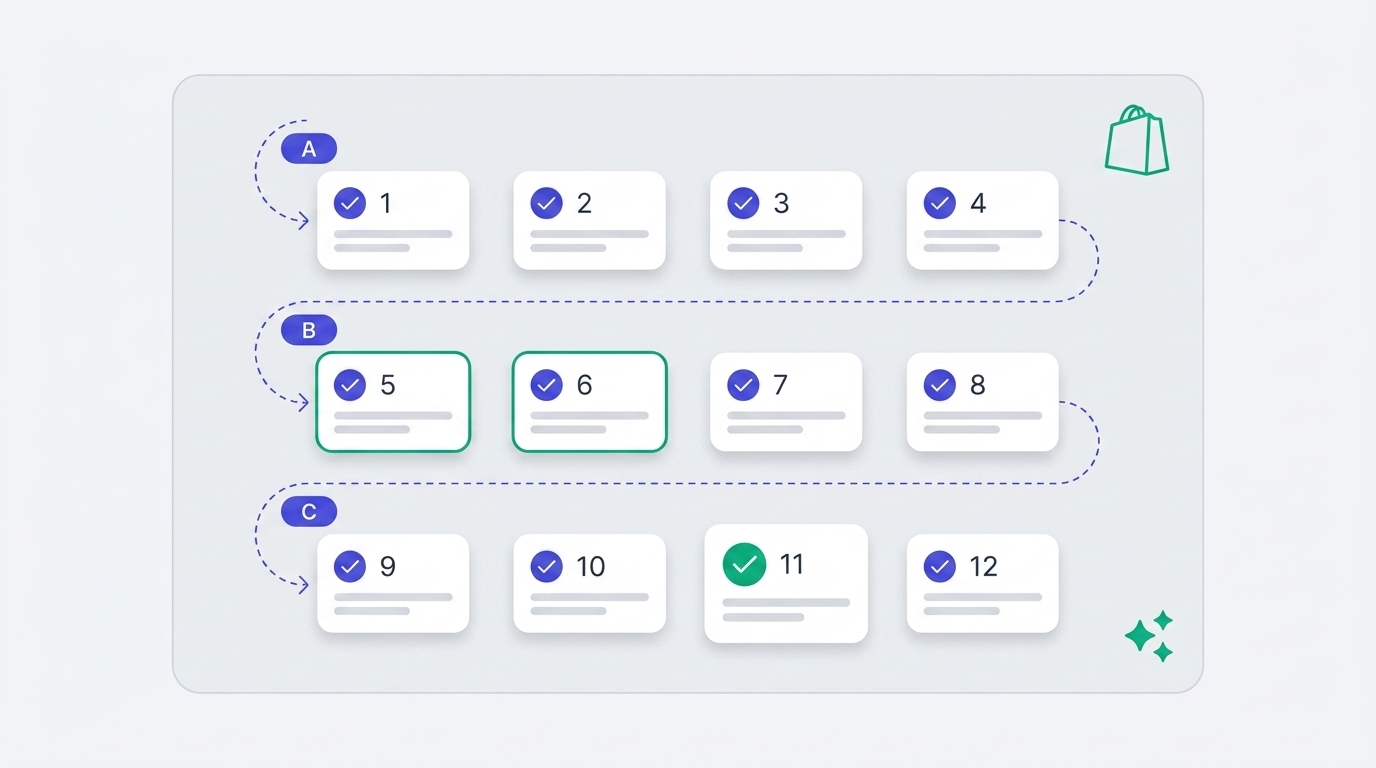
This guide is the 12 steps that close that gap, in priority order, with Shopify-specific implementation notes. Steps 1–4 are foundation (boring, mandatory, do them first). Steps 5–8 are content (where you actually beat competitors). Steps 9–12 are distribution and measurement (the multipliers). Most stores can complete steps 1–4 in a single afternoon; steps 5–8 are a 30–60 day project; steps 9–12 are ongoing.
TL;DR — the 12 steps
- Foundation: Audit
robots.txtfor AI crawlers - Verify
sitemap.xmlis reachable and complete - Fix product Schema.org JSON-LD (the part themes miss)
- Add Organization + brand entity schema
- Content: Rewrite product descriptions for AI summarization
- Add FAQ sections (with
FAQPageschema) to every product - Publish comparison content competitors haven't
- Add founder/origin/why-we-made-this content
- Distribution: Ship a Google Merchant Center feed
- Lock in brand entity consistency across the web
- Measurement: Monitor what AI says about your store
- Iterate on competitor citation gaps
Why "AI search optimization for Shopify" is its own thing
Most generic "GEO" (generative engine optimization) advice is written for SaaS or content sites and assumes you control your CMS at the template level. Shopify is a hosted platform with a constrained Liquid templating layer, a heavy app ecosystem that can override defaults, and theme-shipped structured data that is partially correct but missing the high-leverage fields. Four Shopify-specific quirks matter for AI search:
- Theme-shipped Product schema is incomplete. Dawn (and most Dawn-derived themes) ship JSON-LD with
name,description,image,sku, andoffers— but typically omitbrand,aggregateRating,review,gtin/mpn, andshippingDetails. AI engines weight these heavily for ranking products inside answers. robots.txt.liquidcan break your AI bot access. Shopify's defaultrobots.txtis permissive, but the moment you add arobots.txt.liquidfile (common when stores want to block scrapers), it overrides the default, and most templates floating around the internet don't include the newer AI user-agents.- Apps can quietly add the wrong things. Some review apps inject duplicate or conflicting
Reviewschema. Some SEO apps injectProductJSON-LD that competes with your theme's. AI engines pick a winner and the loser silently doesn't get used. - Shopify Markets adds locale routing. If you have multiple markets, your sitemap, hreflang, and canonical tags need to be consistent — otherwise AI engines see fragmented entity signals and may cite a localized URL that 404s for the user's region.
Each of the 12 steps below is written with those quirks in mind, so the implementation is specific, not generic.
Section A — Foundation
Steps 1–4 are the bare minimum for AI crawlers to see your store at all. None of the higher-leverage steps work if these are broken.
1. Audit your robots.txt for AI crawlers
Shopify ships a permissive robots.txt by default — most AI bots are allowed. The issue is that thousands of stores have added a robots.txt.liquid file (or had one added by a developer) that doesn't explicitly handle newer AI user-agents like OAI-SearchBot, GPTBot, ClaudeBot, Google-Extended, GeminiBot, and PerplexityBot. When those bots get an ambiguous response, behavior varies — some default to "allowed," others default to "deny," and one bot's interpretation of "ambiguous" can lock you out of a whole engine.
Action: Visit https://yourstore.com/robots.txt and confirm none of these bots are disallowed. If you have a robots.txt.liquid, explicitly allow each. We have a deeper walkthrough with copy-paste snippets in our robots.txt for AI crawlers guide.
Quick check
In your robots.txt, search for each of: OAI-SearchBot, GPTBot, ClaudeBot, Google-Extended, GeminiBot, PerplexityBot. None should be under a Disallow: directive. If they're not mentioned at all and you don't have a global User-agent: * disallow, you're fine. If you have User-agent: * followed by Disallow: /, you're invisible to AI search.
2. Verify your sitemap is reachable and complete
Shopify auto-generates sitemap.xml at the root of your domain. The common failure modes are: (1) the store domain redirects www↔apex inconsistently and AI crawlers hit a redirect loop; (2) a CDN or security app blocks bot user-agents from fetching the sitemap; (3) the store is on a Shopify Plus split-architecture where collection sitemaps live on a different subdomain. All three result in AI engines knowing 5–15% of your catalog instead of 100%.
Action: Open https://yourstore.com/sitemap.xml in an incognito window. Confirm it loads under 2 seconds, contains references to /sitemap_products_*.xml, /sitemap_collections_*.xml, and /sitemap_pages_*.xml, and that each sub-sitemap also loads. Submit the parent sitemap in Google Search Console (AI Overviews and AI Mode use Google's index). ChatGPT crawls with its own OAI-SearchBot, so make sure robots.txt allows it.
3. Fix product Schema.org JSON-LD
This is the single highest-leverage technical change on the list. Theme-shipped Product JSON-LD typically covers the basics but misses the fields AI engines disproportionately use to rank products inside answers. Specifically: brand (used for entity disambiguation), aggregateRating + review (the strongest "social proof" signal), gtin / mpn / sku (used to merge with Google's shopping graph and Merchant Center), and offers.shippingDetails + offers.hasMerchantReturnPolicy (increasingly required for ChatGPT Shopping eligibility).
Action: Pick one of your top product URLs and paste it into Google's Rich Results Test. Read the detected Product object. Note every field that's missing or marked as a warning. Then add them via a JSON-LD snippet in your theme.liquid (or via the SEO app you already use). We have copy-paste schema templates in our product schema for ChatGPT Shopping guide.
Watch out for
Some Shopify review apps (Judge.me, Loox, Yotpo) inject their own Review / AggregateRating JSON-LD. If your theme also injects one, you can end up with duplicate or conflicting blocks. Open page source on a product URL, search for "@type":"Product" — there should be exactly one Product object. If there are two, decide which to keep and disable the other.
4. Add Organization + brand entity schema
AI engines don't just rank pages — they rank entities. When ChatGPT decides whether to mention your brand in a recommendation, it asks: "Is this a real company? What's their reputation? What category are they in?" Organization schema answers all three. Shopify themes almost never ship this; you have to add it manually, typically in theme.liquid so it appears on every page.
Action: Add an Organization JSON-LD block to your theme.liquid with name, url, logo, sameAs (LinkedIn, X, Instagram, Facebook, Crunchbase, Reddit profile), foundingDate, and description. If you have a physical store, add LocalBusiness with address. AI engines use sameAs to cross-verify your entity, and brands with consistent identity across 5+ platforms are cited noticeably more often than brands that only exist on their .com.
Section B — Content (where you beat competitors)
Steps 5–8 are what AI engines actually quote. If your competitors all have correct schema (which most don't yet, but they will), the deciding factor becomes the quality of your prose.
5. Rewrite product descriptions for AI summarization
The single most common pattern hurting Shopify product visibility in AI search is the "3-bullet thin description" — three feature bullets, no prose, sometimes copied straight from a supplier datasheet. AI engines can't summarize what isn't there. They cite full sentences, not fragments.
The fix is uncomfortable: write 250–500 words of real prose per product. Not marketing fluff — answers. Specifically, answer these five questions directly in the description:
- Who is this for? ("Built for runners training for their first half marathon…")
- What problem does it solve? ("Most cushioning collapses after 200 miles — this midsole holds up to 450…")
- What is it best for / not best for? ("Best for road and light trail. Not ideal for technical mountain terrain…")
- How does it compare to alternatives? ("Lighter than the Brooks Ghost 15, more cushioned than the Saucony Endorphin Speed…")
- What do buyers say? ("Repeat buyers consistently mention the secure midfoot lockdown and the durable outsole…")
AI engines pull these exact sentence patterns into responses. When a buyer asks ChatGPT "what's a good running shoe for marathon training under $150?" the answer is built from descriptions that already contain those words. Generic feature bullets never make the cut.
6. Add FAQ sections with FAQPage schema
AI engines disproportionately cite FAQ content because the format mirrors how queries arrive — a question with a self-contained answer. Adding 4–8 real buyer questions to every product page, marked up with FAQPage JSON-LD, is one of the highest ROI changes you can make.
Action: Pull your top 10 customer service emails / live chat transcripts per product category. Group them. Pick the 6 most common questions per product type. Write a 1–3 sentence answer for each, in the brand voice you'd use in an email. Add them to the product description (visible HTML) AND inject corresponding FAQPage JSON-LD. Several Shopify apps do the injection automatically — pick one that lets you edit the questions per-product, not site-wide generic ones.
Cite-worthy FAQ patterns
Questions that start with "Is this good for…", "How does this compare to…", "Will this work with…", and "What size should I get if…" tend to map directly to high-intent AI shopping queries. Generic "What's your return policy?" FAQs are useful for shoppers but rarely get cited.
7. Publish comparison content competitors haven't
AI engines synthesize comparisons from comparison pages. If buyers ask "what's better, X or Y?" and only one brand has published a thoughtful comparison page, that brand's framing shapes the AI's answer — even when it discusses the competitor. This is the strongest content lever a Shopify store has, and almost nobody is doing it.
Action: Identify 5 "Brand vs Competitor" or "Product Type X vs Product Type Y" queries your buyers ask. Write a 1,000–1,500 word comparison page for each. Be honest about where the competitor is better — AI engines and shoppers both trust honest comparisons more than one-sided ones, and citing a balanced source signals editorial credibility. Publish under /blogs/news or /pages/compare-x-vs-y (Shopify supports both as content types).
8. Add founder / origin / why-we-made-this content
AI engines use first-person founder content to disambiguate brands with similar specs. "We started this because our co-founder couldn't find running shoes that fit a wide forefoot without breaking down" tells the AI engine something it can't extract from a feature list. When a buyer asks "what's a running shoe brand known for wide forefoot fit?", that one paragraph is what gets summarized.
Action: Add a "Why we made this" section to product descriptions for your hero SKUs, and a longer "Our story" page linked from the footer with Article + Organization schema. Include specific details — names, dates, places, problems solved. Vague brand-mission language ("we believe in quality") doesn't help AI engines distinguish you from anyone else.
Section C — Distribution & measurement
Steps 9–12 are the multipliers. Done without 1–8, they don't help. Done after 1–8, they compound your results.
9. Ship a Google Merchant Center feed
ChatGPT Shopping pulls heavily from Google's shopping graph. Gemini does the same explicitly. Even Perplexity sometimes references Google's product knowledge graph. Without a Merchant Center feed, you're invisible to the data layer all three engines lean on for product information.
Action: Install Shopify's free "Google & YouTube" sales channel app. Complete domain verification. Submit your product feed. Once approved (24–72h), your products become eligible to appear in ChatGPT Shopping cards and Gemini product comparisons in addition to Google Shopping. The feed is free; the only cost is the time to fix any item-level errors Merchant Center flags (typically missing gtin or brand values — which step 3 already fixed).
10. Lock in brand entity consistency across the web
AI engines use entity disambiguation — they want to know that the "Acme Running Co." on your homepage is the same "Acme Running Co." on LinkedIn, Crunchbase, Reddit, Wikipedia (if you're eligible), and your Trustpilot profile. Inconsistent identity signals — different brand names, different logos, different descriptions, different founding dates — fragment the entity. Fragmented entities get cited less.
Action: Pick a canonical brand name, logo, and 1-sentence description. Update LinkedIn Company Page, Crunchbase, X/Twitter bio, Instagram bio, Facebook Page About, Google Business Profile (if applicable), and your Trustpilot or Judge.me public profile so they all match. Then list every URL in your sameAs array in the Organization schema from step 4. AI engines now have a cleanly disambiguated entity to cite.
11. Monitor what AI actually says about your store
You can't optimize what you can't see. AI search engines don't ship a Search Console — there's no native dashboard telling you "ChatGPT mentioned your store 47 times this week in response to these prompts." You either have to test manually (run buyer prompts on a schedule and screenshot whether you appear), parse server logs for AI crawler activity, or use a dedicated platform that does both.
For Shopify stores specifically, the practical monitoring options break down into three tiers:
| Approach | What it shows | Effort | Best for |
|---|---|---|---|
| Manual weekly prompt tests | Whether you appear in answers to specific buyer queries | 2–4 hours/week | Stores with < 20 SKUs, founder-led |
| Server log analysis | Which pages AI crawlers are reading and how often | One-time setup, ongoing review | Stores with dev resources |
| Dedicated platforms (SearchMention, IndexGPT, Promptwatch) | Citations across engines, competitor share of voice, per-product visibility, trends | 15 min setup, automated | Stores with 50+ SKUs or any paid acquisition |
SearchMention is built specifically for this — product-level AI visibility for Shopify, Magento, and WooCommerce stores. We track which buyer prompts cite your products across ChatGPT, Gemini, and Perplexity, who gets cited instead when you don't, and which product pages need the most readiness work to close the gap. The free tier covers 1 store and one run of 15 prompts on ChatGPT and Google AI Overviews so you can validate the workflow before committing. See how AI Visibility works.
IndexGPT is Shopify-only and focuses on whether your products are actually present in ChatGPT's index, plus a one-click submission flow — useful if your bottleneck is "ChatGPT doesn't know my SKUs exist yet" rather than "ChatGPT knows them but isn't citing them." Side-by-side: SearchMention vs IndexGPT. Broader landscape: full tools comparison (Promptwatch, Otterly, Peec, Profound, and more). Comparing Shopify App Store apps only: best Shopify apps for AI visibility.
12. Iterate on competitor citation gaps
Monitoring (step 11) is only useful if it feeds back into changes. The right loop: each week, identify the buyer prompts where competitors got cited and you didn't. For each, ask why — does the competitor have content covering that specific use case? A comparison page you don't? A review density you can't match? Pick the single highest-impact gap, fix it on your most relevant SKU or content page, and re-test in 2–4 weeks once AI crawlers have re-indexed.
Most stores try to fix everything at once and end up touching nothing meaningfully. The right cadence is one targeted fix per week per SKU group, measured against citation rate, for 90 days. Stores that follow this loop typically see citation rates double in their first quarter of doing it.
A realistic 90-day rollout
Twelve steps in a single sprint is unrealistic for most Shopify teams. Here's what a sane 90-day rollout looks like, assuming one part-time owner of the project:
- Weeks 1–2: Steps 1–4 (foundation). Audit robots.txt, sitemap, product schema, add Organization schema. Do these on your top 10 SKUs first, then template the fix across the catalog.
- Weeks 3–4: Step 9 (Merchant Center). Install the Google channel, fix item-level errors flagged in Merchant Center, get the feed approved.
- Weeks 5–8: Steps 5–6 (product descriptions + FAQs). Rewrite descriptions for your 20 highest-revenue SKUs. Add FAQ sections with schema. This is the longest phase and the highest-leverage one — don't shortcut it.
- Weeks 9–10: Steps 7–8 (comparison content + founder content). Publish 3 comparison pages, add origin content to your hero SKUs.
- Weeks 11–12: Steps 10–11 (entity consistency + monitoring). Update social bios and external profiles to match, then turn on monitoring so you have a baseline before iterating.
- Ongoing from week 13: Step 12 (iterate). One targeted fix per week per SKU group, measured against citation rate, indefinitely.
FAQ
What is AI search optimization for Shopify?
AI search optimization for Shopify is the practice of making your products discoverable and citable by AI search engines like ChatGPT, Gemini, and Perplexity. It overlaps with traditional SEO but has Shopify-specific concerns: theme-shipped schema is usually incomplete, robots.txt.liquid can accidentally block AI crawlers, and the default app ecosystem rarely covers LLM-friendly content patterns.
Does Shopify's default theme support AI search?
Partially. Most Dawn-based themes ship basic Product JSON-LD but typically omit aggregateRating, review, shippingDetails, and brand identifiers that AI engines weigh heavily. Robots.txt is permissive by default, which is good, but any robots.txt.liquid override or third-party crawler-blocking app can break that. Plan to audit, not assume.
Which AI engines should Shopify stores prioritize?
For most Shopify stores in 2026: ChatGPT first (largest user base, shopping experience pulls from Google's shopping graph plus OpenAI's own crawl), Gemini second (fast-growing for product comparisons, leverages Google Search grounding), Perplexity third (smallest user base but the easiest to audit because it always shows sources). Claude is worth watching but has the smallest commercial-intent share.
How long does AI search optimization take to show results?
Technical fixes (robots.txt, schema, sitemap) can show up in 2–6 weeks once AI crawlers re-index your store. Content depth changes (product descriptions, FAQs, comparison pages) typically take 6–12 weeks before AI engines start citing them. Plan in 90-day cycles, not weeks.
What's the difference between Shopify SEO and AI search optimization?
Traditional Shopify SEO optimizes for Google's blue links. AI search optimization adds three concerns: (1) machine-readable structured data so LLMs can ingest your products as entities; (2) prose that answers buyer questions directly so AI engines can pull it into responses; (3) entity consistency across the web so AI engines disambiguate you from similarly-named brands.
Do I need a Google Merchant Center feed for ChatGPT Shopping?
Yes. ChatGPT Shopping pulls heavily from Google's shopping graph, which is built from Merchant Center product feeds. Shopify's free Google & YouTube channel app handles MC feed submission automatically — install it, complete verification, and your products become eligible for ChatGPT Shopping cards.
How do I monitor if AI is citing my Shopify store?
Three layers: manual prompt testing (run buyer prompts in ChatGPT, Gemini, and Perplexity weekly), server log analysis (track GPTBot, OAI-SearchBot, ClaudeBot, GeminiBot, PerplexityBot user-agent hits), and dedicated platforms (SearchMention, IndexGPT, Promptwatch, Otterly, Peec). For most stores, a dedicated tool plus weekly manual spot-checks is a reasonable starting point.
See which of your products AI cites
SearchMention tracks product-level citations across ChatGPT, Gemini, and Perplexity — who wins when you don't, and which pages to fix first.
See how AI Visibility works