Install the SearchMention_Connector module on Magento 2 (Adobe Commerce or Magento Open Source) to report AI referral traffic to SearchMention—think clicks from ChatGPT, Perplexity, Gemini, and similar surfaces. The API key stays on the server; your storefront sends lightweight beacons only when the visitor looks like AI-driven traffic.
Before you start
You will need Magento admin access, SSH or deployment access to app/code, and a SearchMention project on a plan that includes AI Traffic.
-
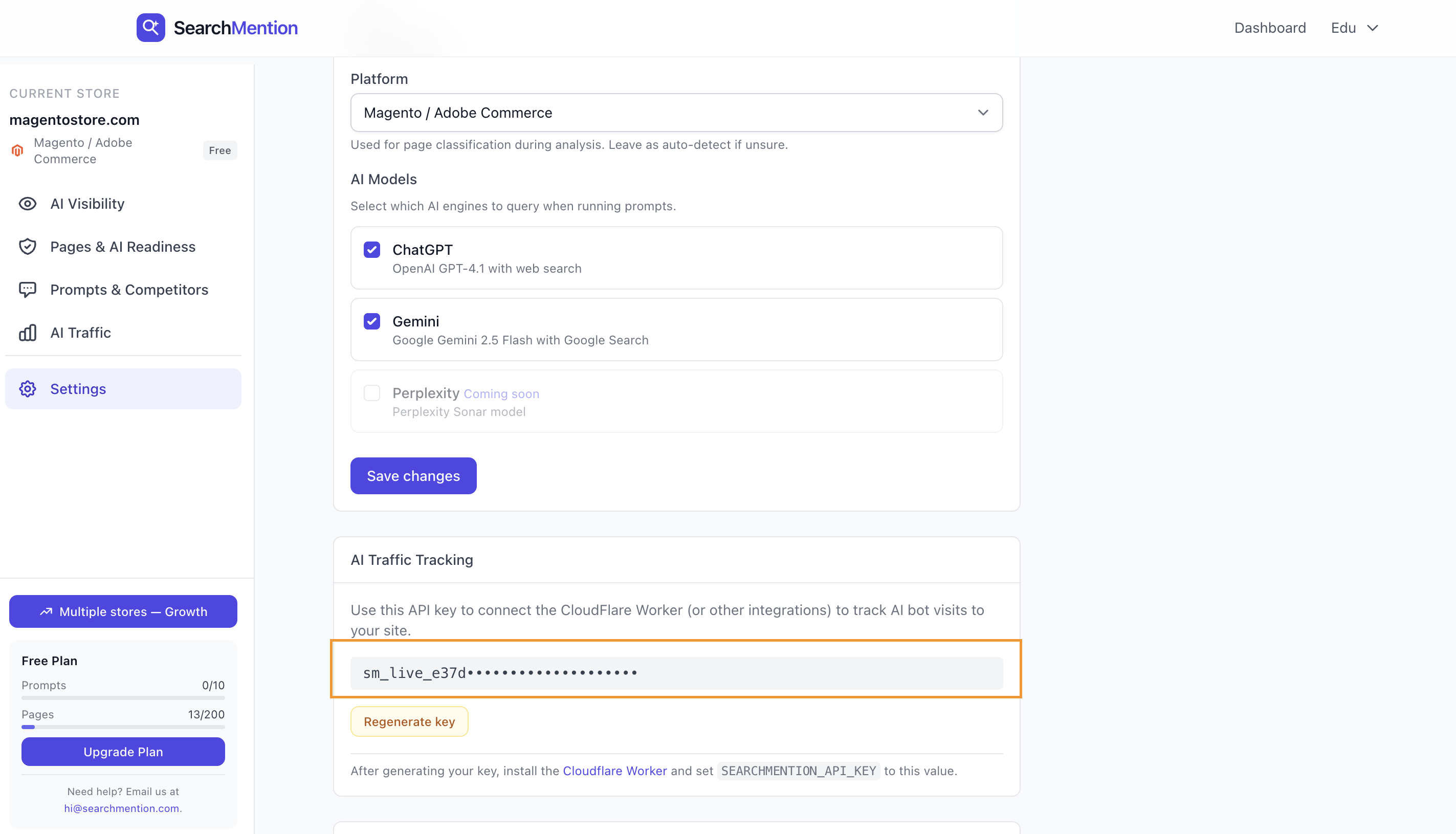
API key. Generate an
sm_live_…key in SearchMention Dashboard → Settings → AI Traffic Tracking for the store you are wiring up. - Referrals vs bots. This module focuses on human referrals (referrer and UTM signals). For broad AI crawler / bot coverage at the edge, pair it with the Cloudflare Worker when Cloudflare sits in front of your storefront.
-
Themes. The connector uses a small external script in
before.body.end—compatible with Luma, Hyvä, and full-page cache / Varnish.
1 Download the module
Signed-in SearchMention users can download the packaged extension from Dashboard → Settings → AI Traffic Tracking using Download Magento module (searchmention-connector-1.0.0.zip). The archive matches a manual app/code install—module name SearchMention_Connector.
2
Install under app/code
On your Magento host, open or create the directory app/code/ at the Magento root (next to bin/magento). Unzip the download: it contains SearchMention/Connector/ with registration.php, etc/, and the rest of the module.
app/code/SearchMention/Connector/registration.php. If you already have other code under app/code/SearchMention/, only the Connector folder should be added or replaced by this package.
Set ownership and permissions to match your other app/code modules (same user PHP-FPM or the web server uses). Deploy the new files through your normal release process—do not edit vendor/ for this extension.
3 Enable the module and run setup
From the Magento root, enable the module and apply schema updates (adjust mode flags if you use production deploy steps):
bin/magento module:enable SearchMention_Connector
bin/magento setup:upgrade
bin/magento cache:flush
In production, follow your standard checklist (setup:di:compile, static content deploy, etc.) after setup:upgrade.
4 Paste the API key in Magento admin
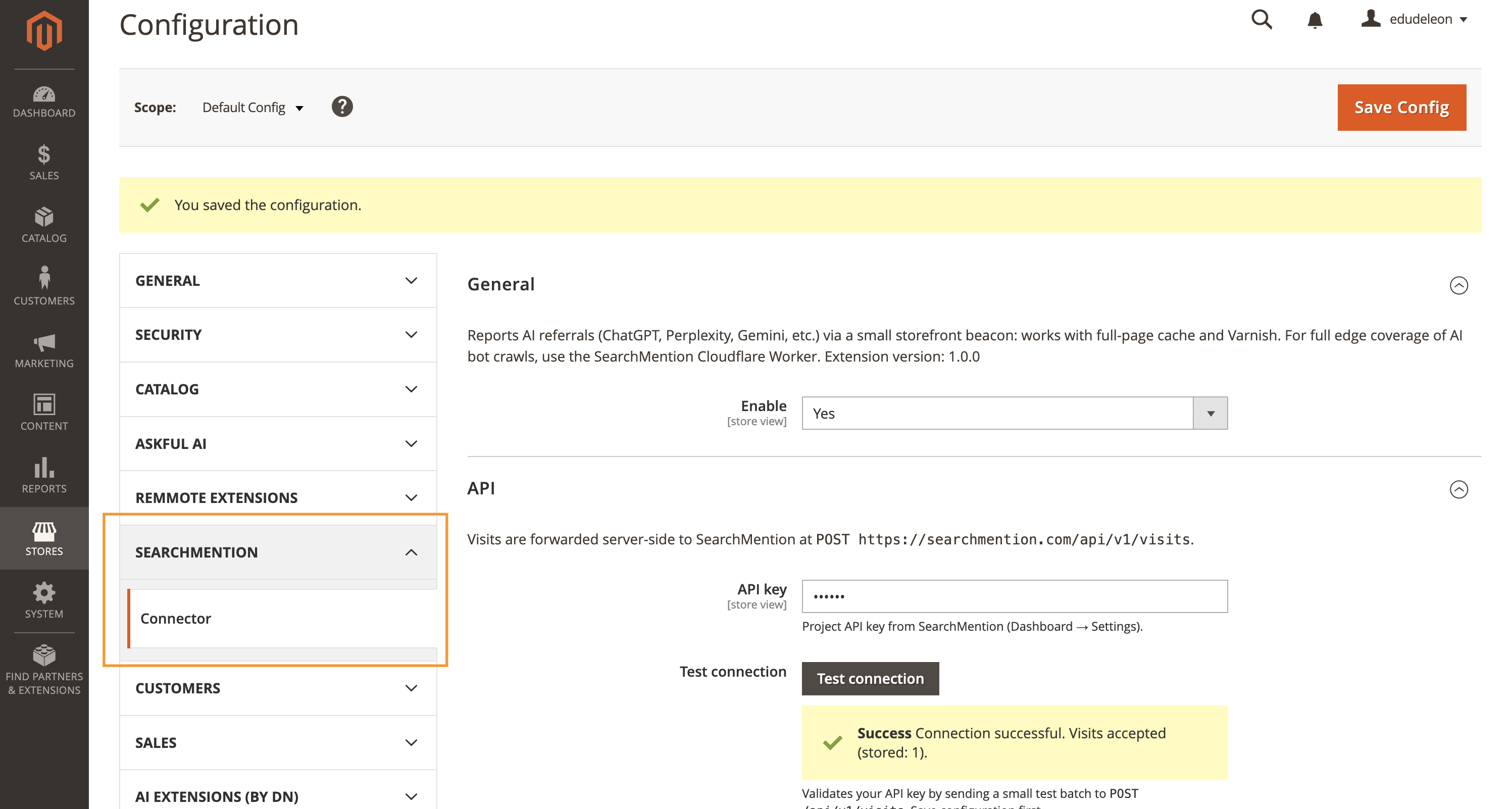
In Magento admin, go to Stores → Configuration → SearchMention → Connector. Set Enable to Yes, paste the same project API key from SearchMention Settings into API key, save, then use Test connection if shown— it validates against POST /api/v1/visits.
5 AI bots (optional)
The connector is optimized for cached HTML and human referral detection. Crawler and bot hits that never execute PHP may not be visible through Magento alone. If your storefront is behind Cloudflare, add the SearchMention Worker using the manual Cloudflare guide so training and crawler visits appear alongside Magento-sourced referrals.
6 Confirm in SearchMention
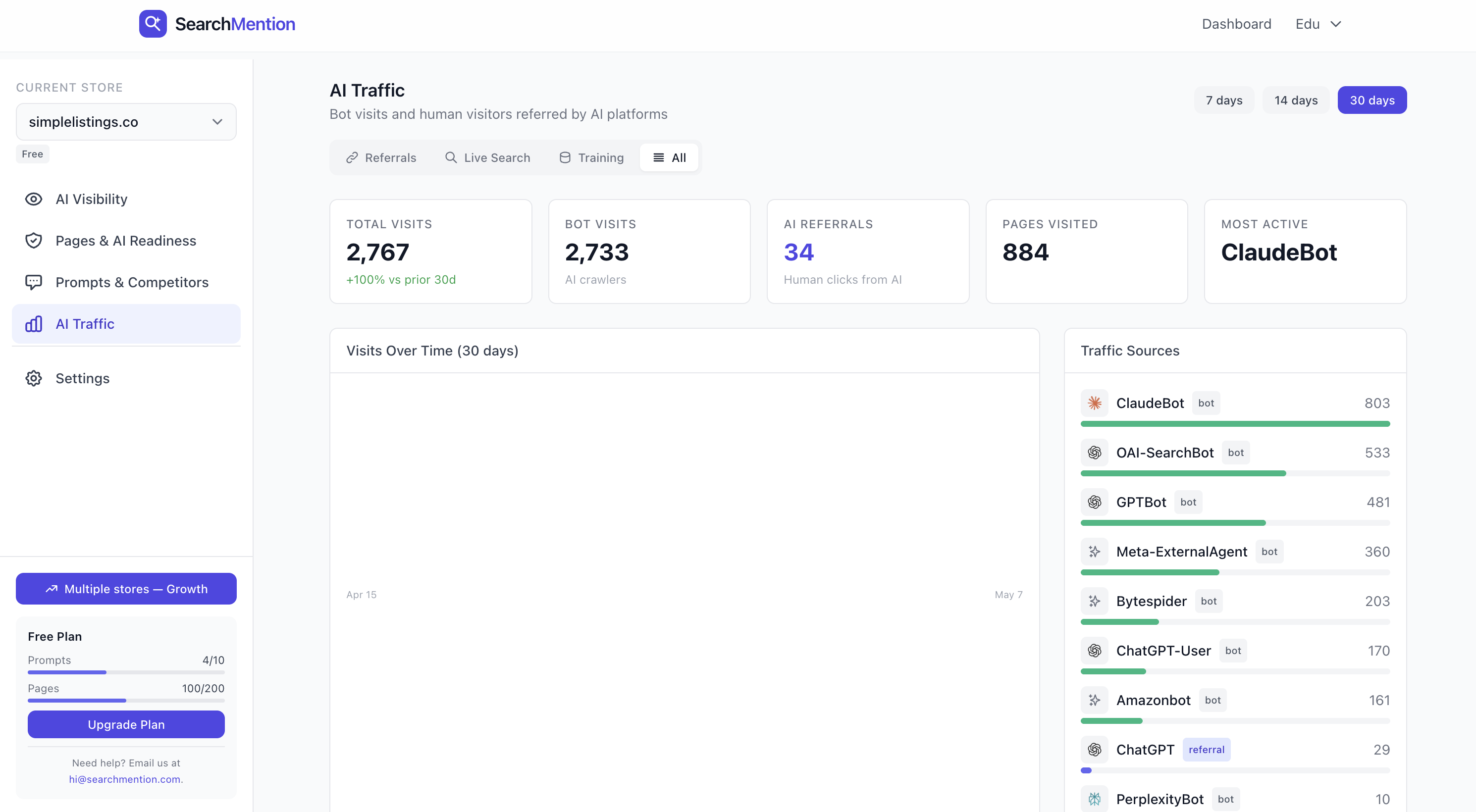
Open Dashboard → AI Traffic for this project. After real shoppers arrive from AI surfaces (or you test with a recognized utm_source), events should appear with source magento. Normal organic traffic without AI signals will not create rows.
Key rotation: regenerating the API key in SearchMention Settings invalidates the old value—update Magento configuration until the new key is saved.